
Connect Withings
Connect your Withings account so CHF Companion can receive your weight and blood pressure measurements.
Before You Start
- Make sure your phone is connected to the internet.
- Set up your scale or blood pressure monitor in the Withings app.
- Check that your measurements appear in the Withings app.
- Have your Withings sign-in details ready.
If you use CHF Companion for someone else, connect the Withings account that contains that person's measurements.
Tap or click a picture to enlarge it. To close the picture, tap the × button or press Esc.
Step 1. Open Connected Devices
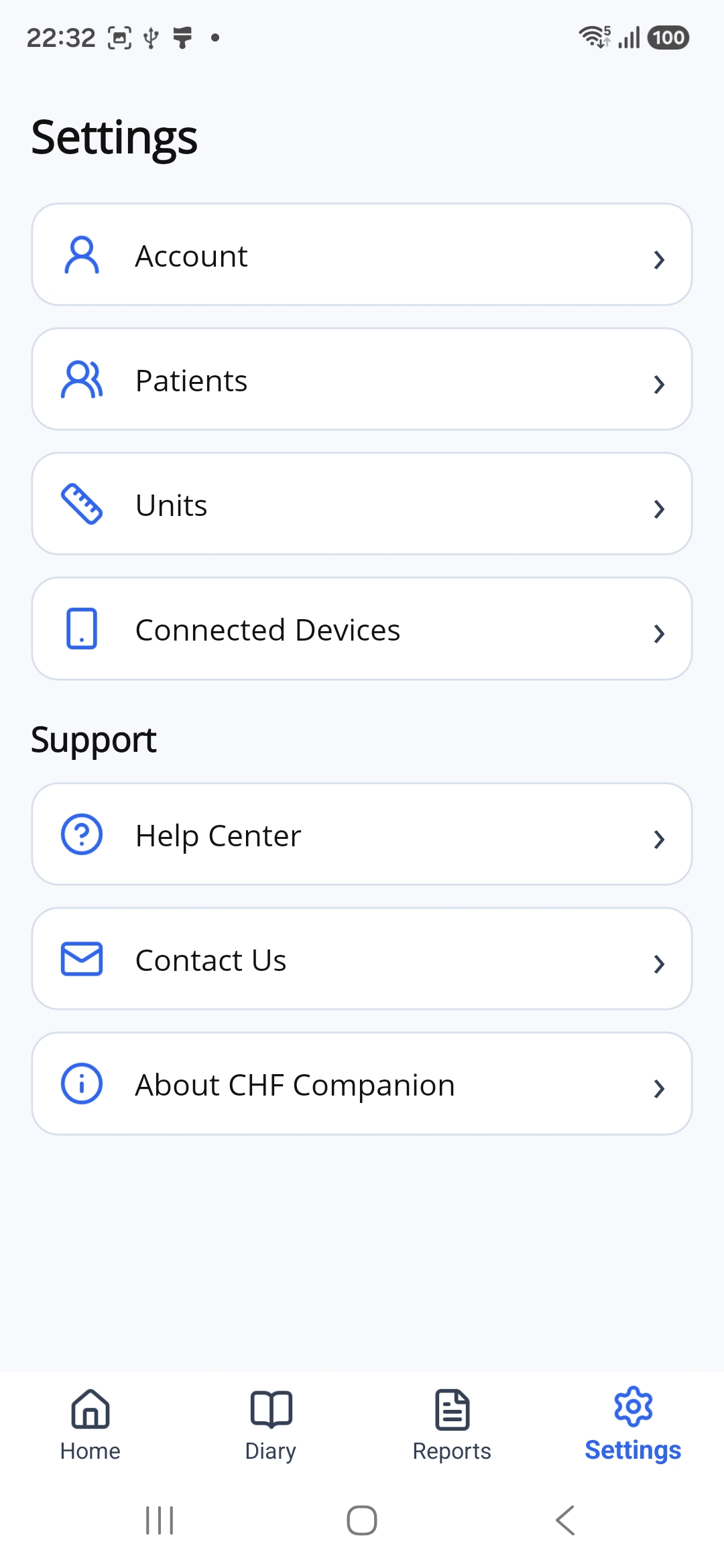
Tap Settings at the bottom of the app.
Then tap Connected Devices.
Step 2. Start the Connection
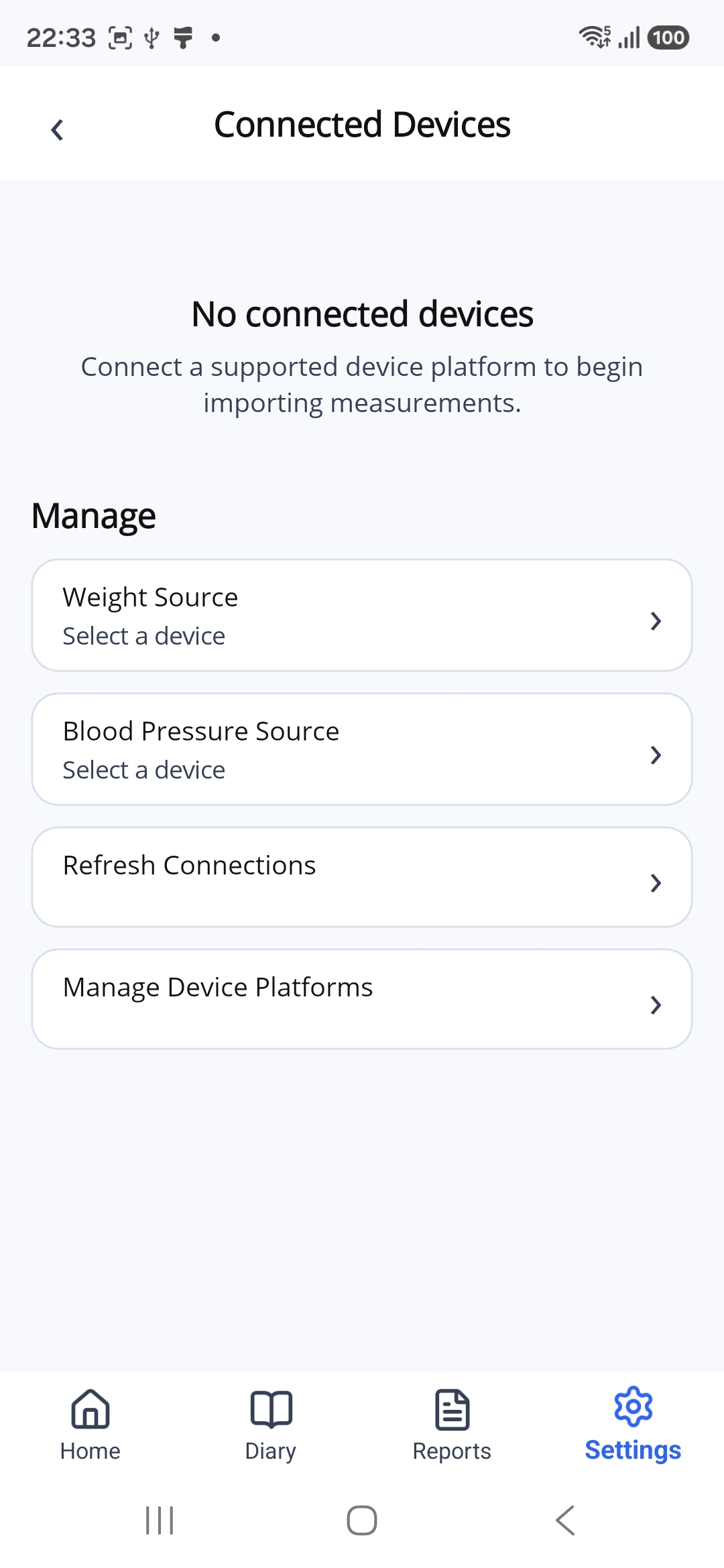
If this is your first connection, you will see No connected devices.
Tap Manage Device Platforms.
Step 3. Choose Withings
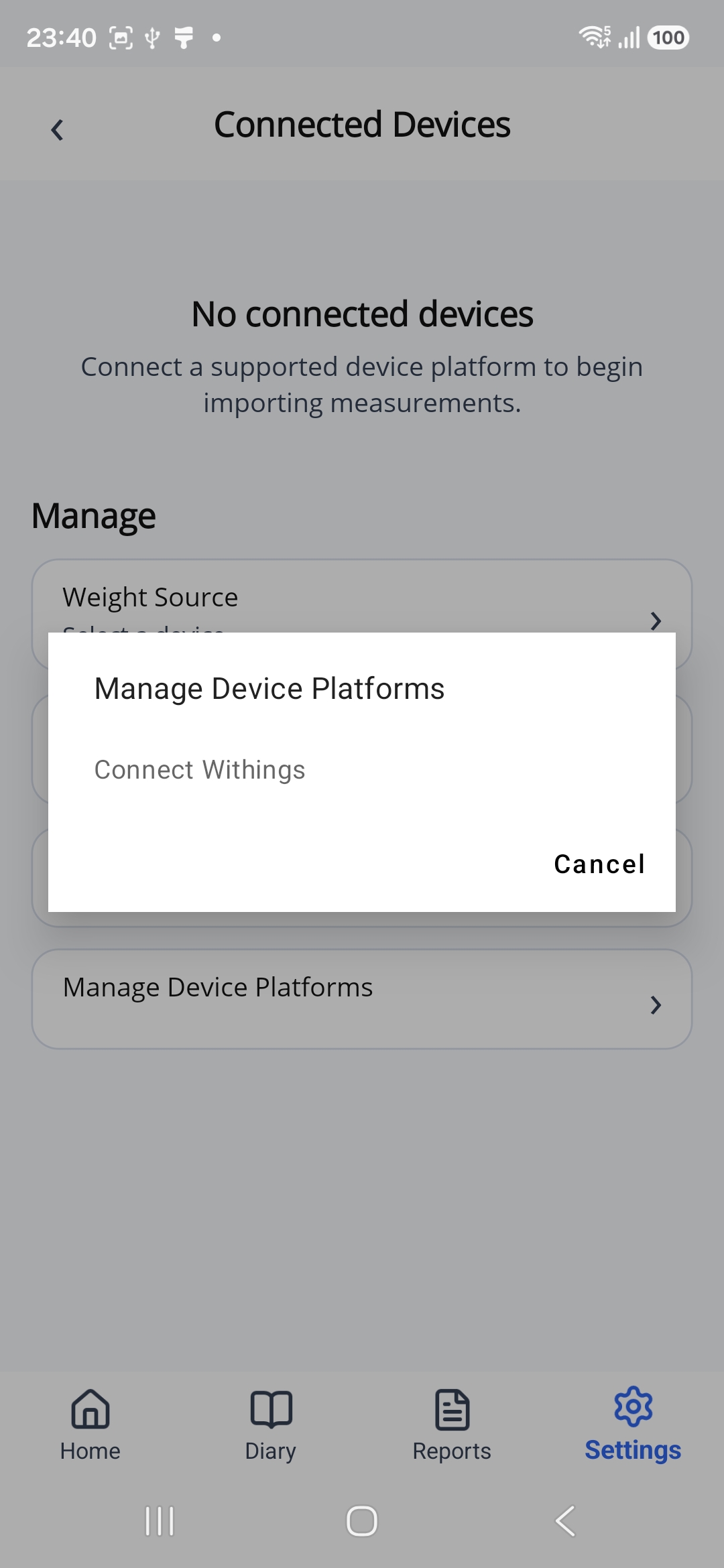
In the window that opens, tap Connect Withings.
Step 4. Sign In to Withings
A Withings page will open. If asked, sign in to the Withings account linked to your devices.
Your Withings sign-in details may be different from your CHF Companion sign-in details.
If you are already signed in to Withings, you may go straight to the next step.
Step 5. Allow Access
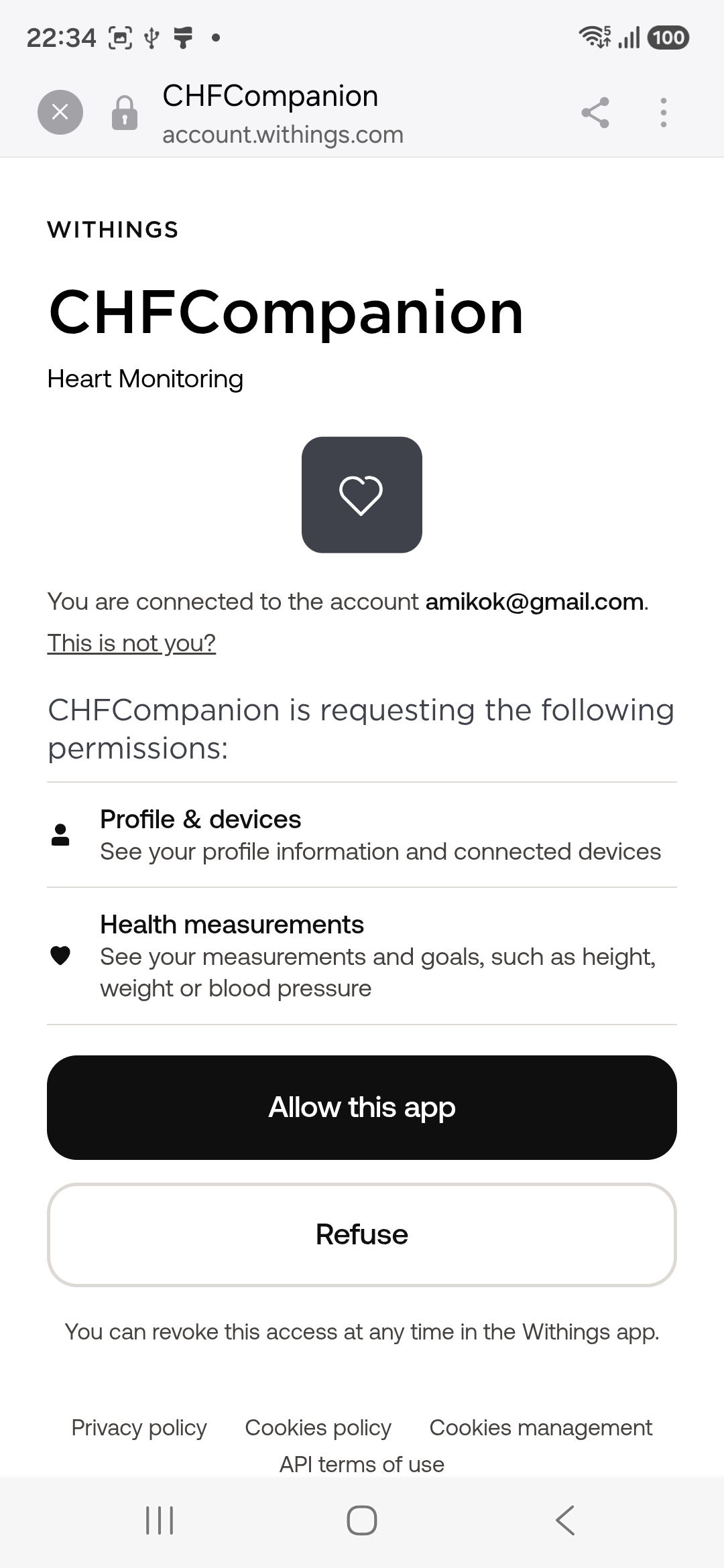
Withings will ask for permission to share your device information and measurements with CHF Companion.
Check that the account shown on the page is the one you use for your measurements.
If a different account is shown, tap This is not you? and sign in to the correct account.
Tap Allow this app.
Step 6. Check the Connection
Return to CHF Companion and open Connected Devices.
Withings appears automatically under Weight Source and Blood Pressure Source.
Your devices appear at the top of the page with the status Connected.
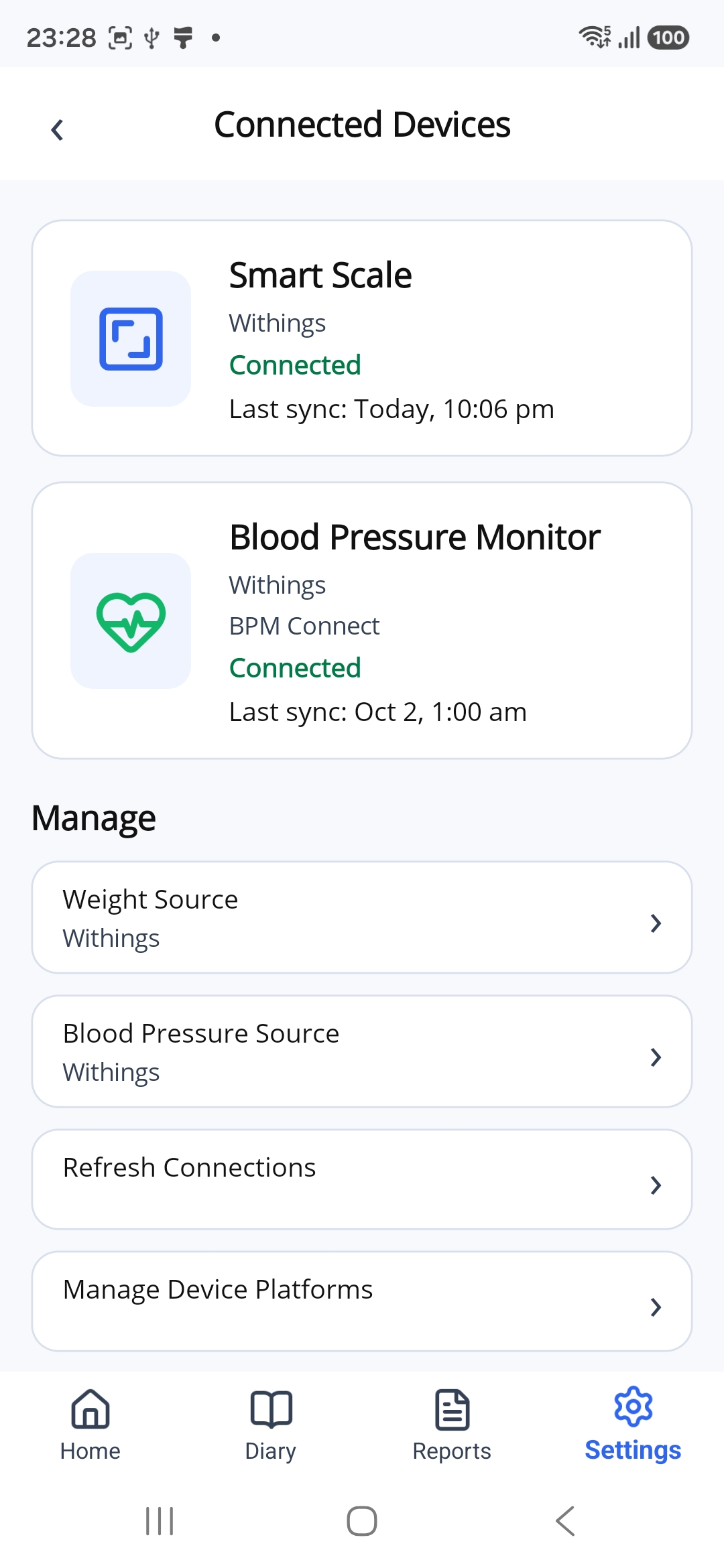
This example shows both a scale and a blood pressure monitor. You may see one or both, depending on the devices linked to your Withings account.
If the Connection Is Not Shown
Tap Refresh Connections on the Connected Devices page.
If your devices still do not appear, check that you connected the Withings account linked to those devices.
If Measurements Have Not Appeared Yet
First, check that the measurements appear in the Withings app.
Then return to CHF Companion. A new measurement may take a little time to appear.
What Comes Next?
Once connected, CHF Companion receives your measurements automatically.
Tap Home at the bottom of the app to view your measurements and charts.