
Get Help
Use Settings to find answers, contact us or view information about the app.
Tap or click a picture to enlarge it. To close the picture, tap the × button or press Esc.
Find Answers in Help Center
- Tap Settings at the bottom of the app.
- Under Support, tap Help Center.
- Read the questions and answers. Swipe up to see more answers.
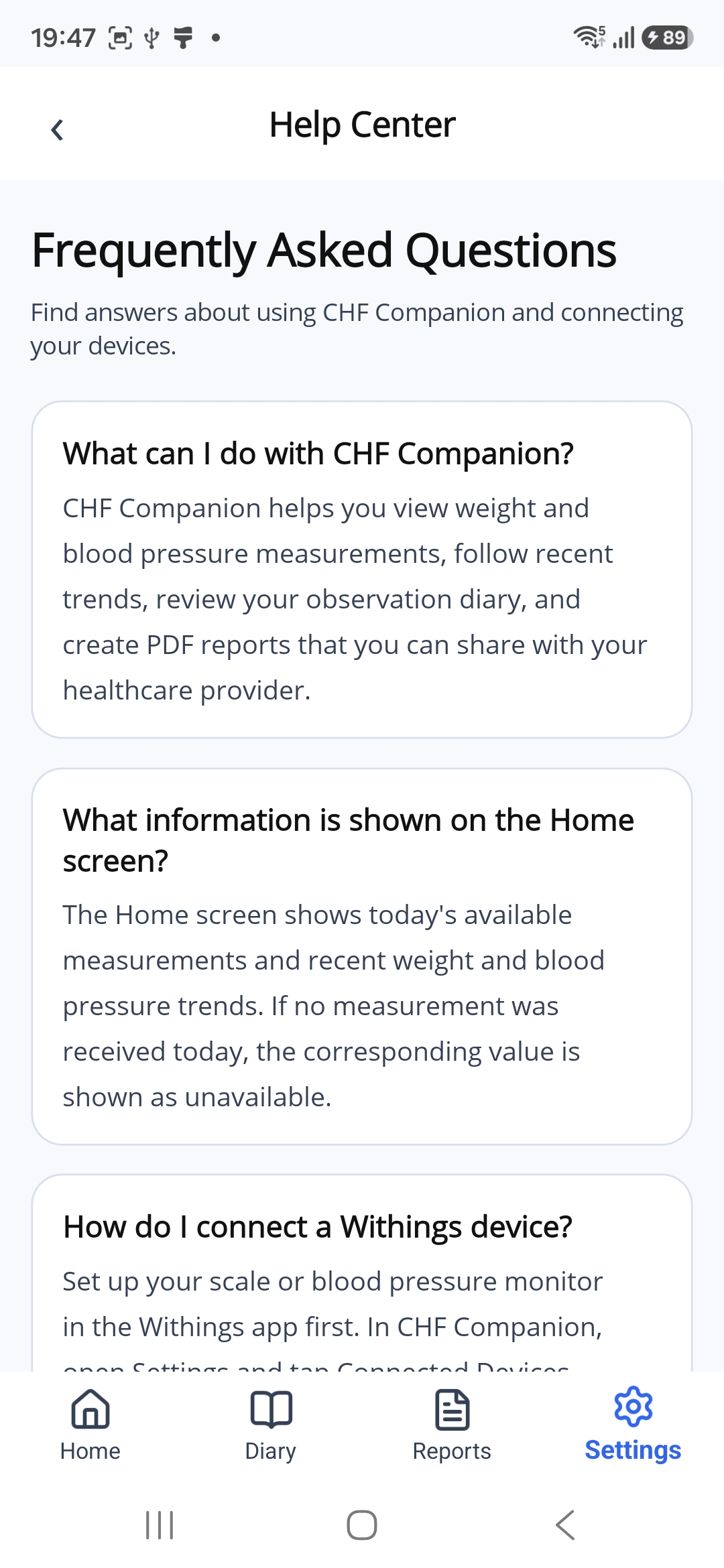
Tap the back arrow at the top left to return to Settings.
Contact Us
On the Settings page, tap Contact Us under Support.
The email app on your phone will open.
You can also contact CHF Companion support directly at chfcompanion@gmail.com.
View App Information
- Tap Settings at the bottom of the app.
- Under Support, tap About CHF Companion.
This page shows information about CHF Companion, its developer and the app version. Look under Version to see which version is installed on your phone.
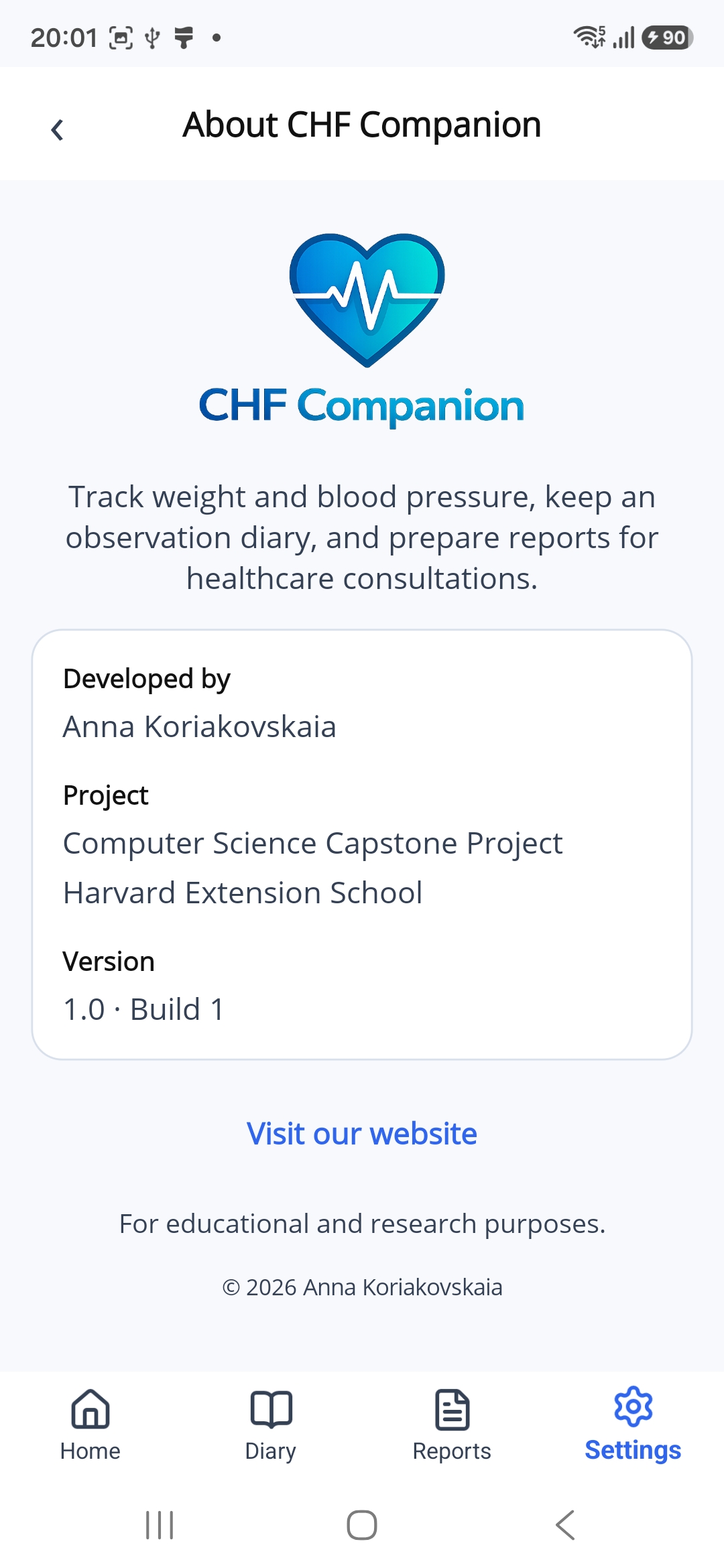
Tap Visit our website to open the project website.
Tap the back arrow at the top left to return to Settings.